
Support Contact Options
McMain offers several support channels so you can always receive help quickly and efficiently. In this article, we describe how to access the different channels.
Click on one of the Content items to jump to that section.
Contents
- Customer Portal (also includes chat)
Chat
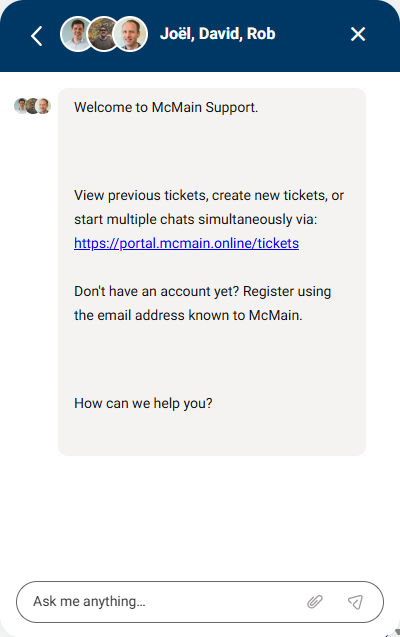
The chat function is available in McMain Online via the speech-bubble icon in the top-right corner.

Emails can be sent to support@mcmain.nl
Knowledge Base
Available via:
https://portal.mcmain.online/en/knowledge-base
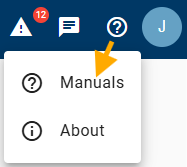
From McMain Online, you can open the Knowledge Base using the help button in the top-left corner and then selecting the Manuals option.
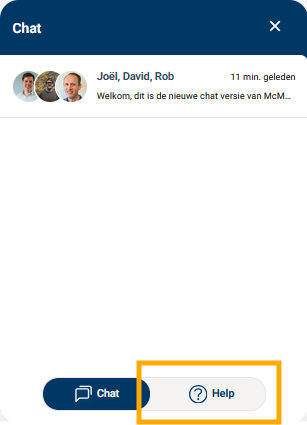
The Knowledge Base can also be accessed through the chat window in McMain Online. First click the arrow  in the top-left corner, then click the Help button.
Customer Portal
Available via:
https://portal.mcmain.online/tickets
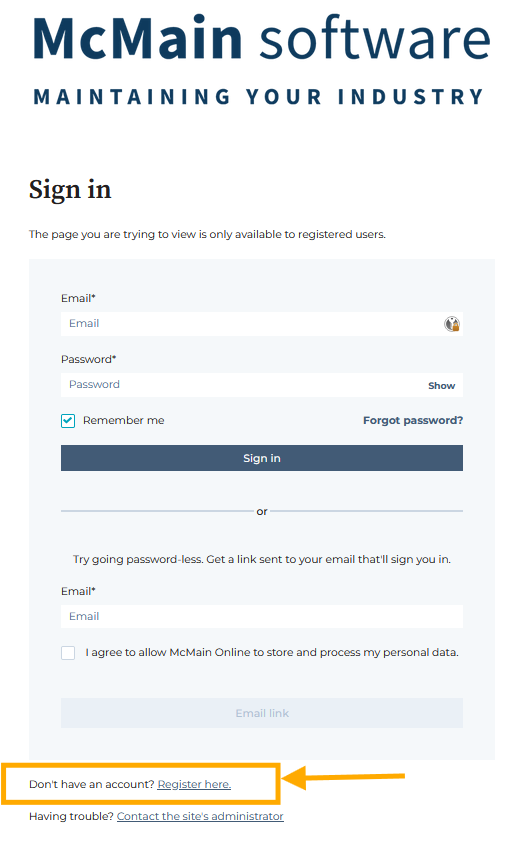
If you do not yet have an account, you can register at the bottom of the page using the email address associated with McMain.
After logging in, several options are available:
- View tickets via the ticket list
- Create a ticket
-
Start a chat
-
Export tickets
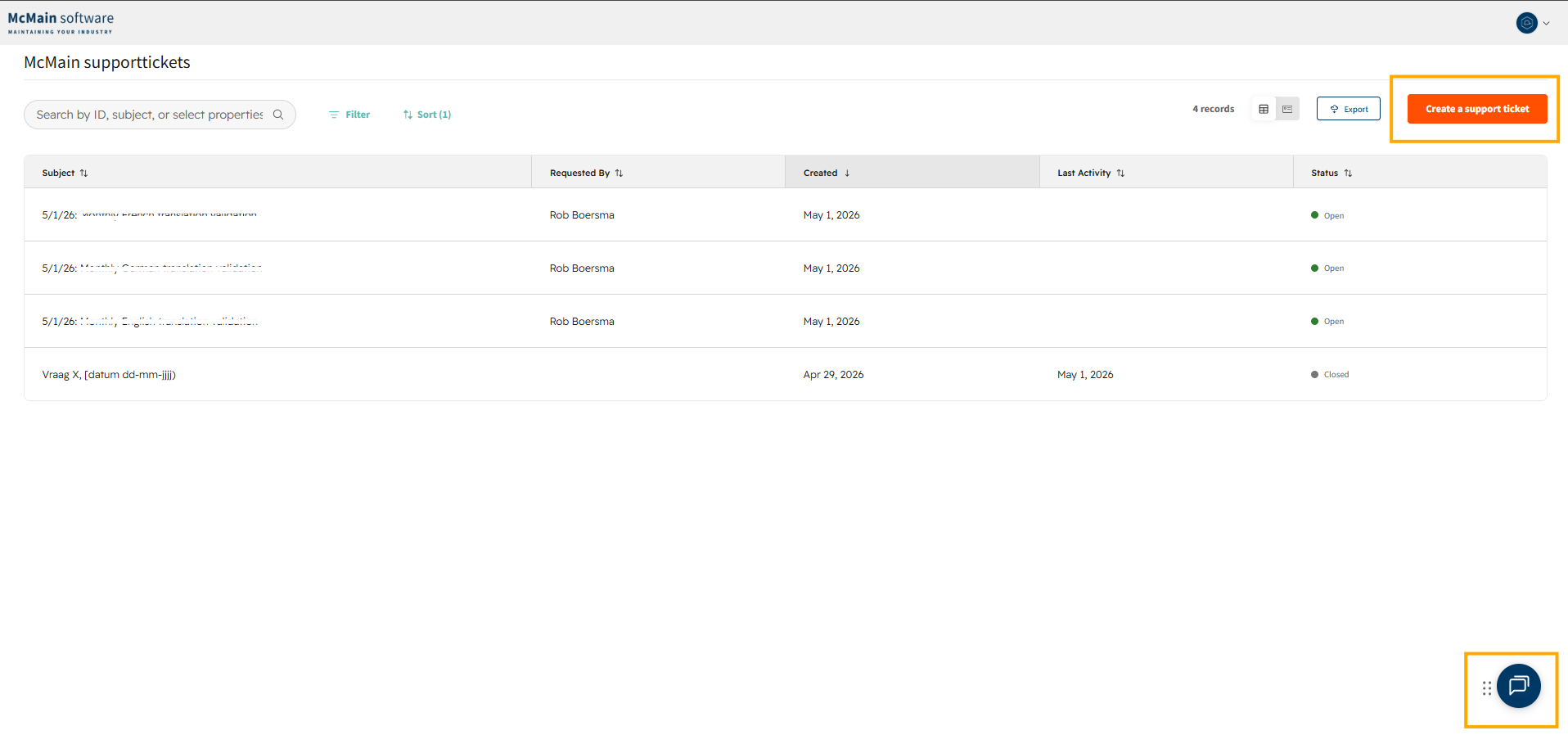
A chat can also be opened through the Customer Portal. The advantage of chatting through the portal is that multiple chats can be opened side by side. See the image below for the button that allows you to open an additional chat.
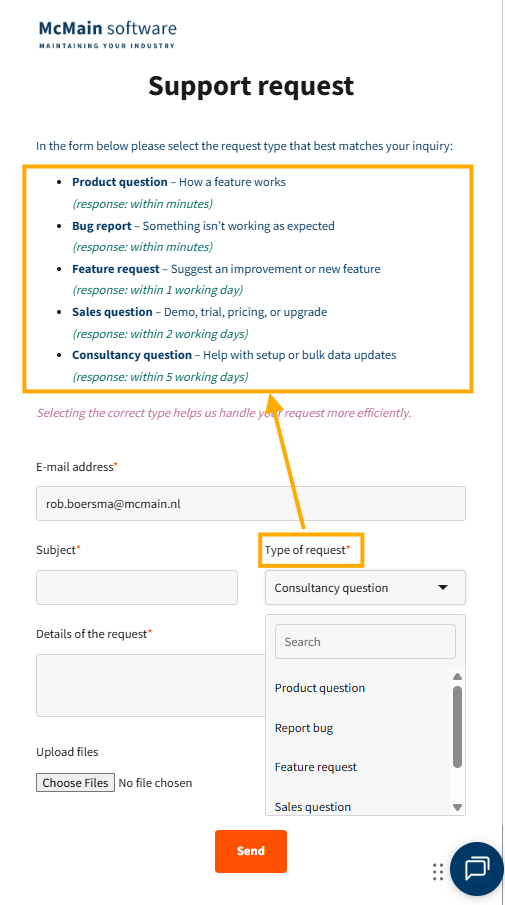
The portal can also be used to create tickets for different subjects.
Phone
For urgent situations, please call +31 341 750 500